

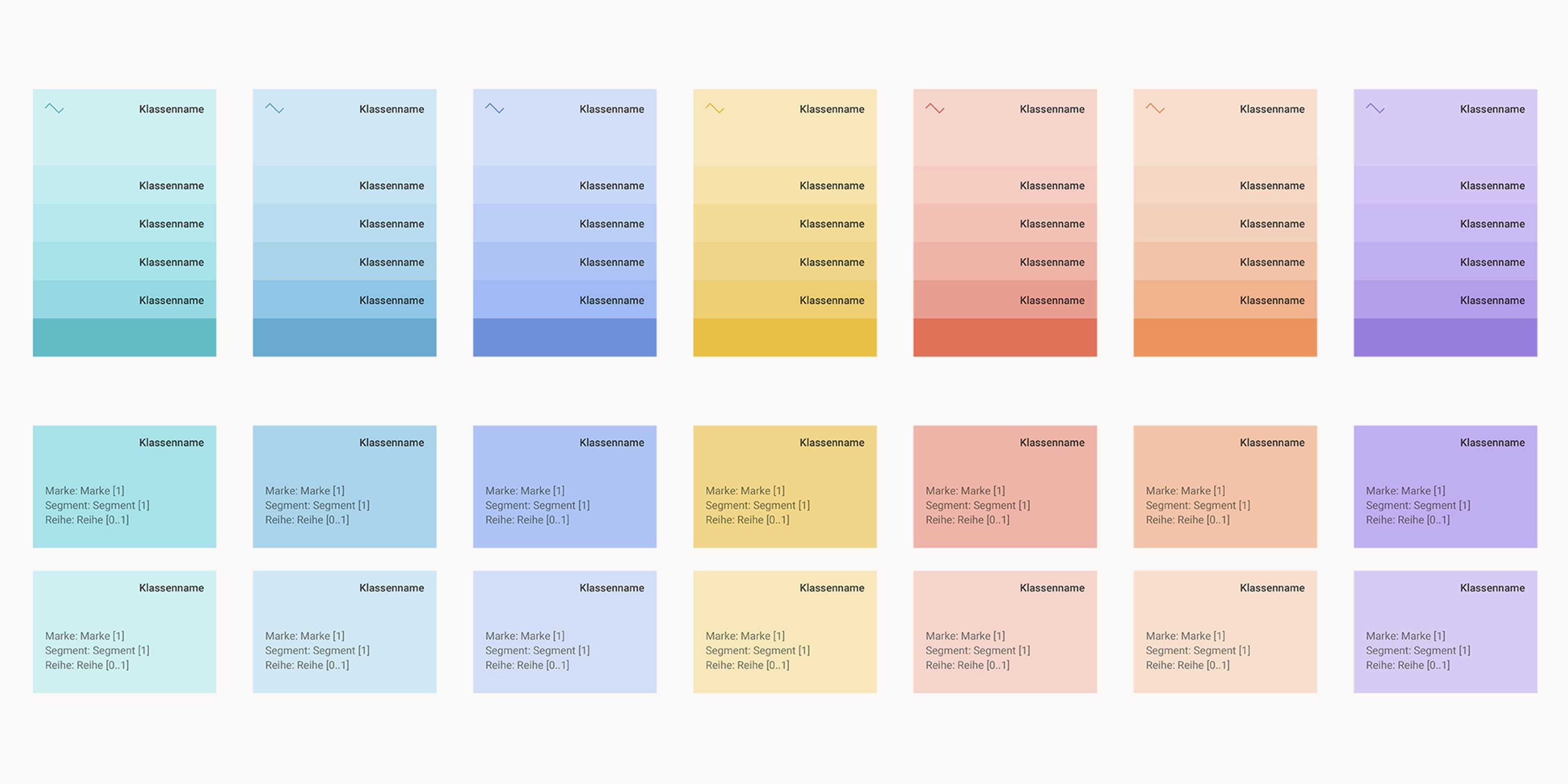
Visual Domain Model: Clearly Visualizing Data Models
Business processes and data are multifaceted and complex. Data models describe these processes and data and form the foundation of every business application. Understanding them well enough to work with them is always a challenge. For the cplace platform, we have developed an application that clearly visualizes even large and complex data models and opens up new ways for users to access their data and processes.
What exactly is cplace?
The cplace software platform helps companies across all industries efficiently manage complex initiatives and projects. This flexible enterprise solution enables the customized mapping of business processes. It offers ready-made solution components that can be deployed directly, combined with one another, and extended as needed.
A unified database connects all cplace solutions within the company and ensures networked information that is visualized in a way tailored to the needs of a wide variety of user groups.
Visualizing existing data models in a clear and understandable way and making them accessible within the platform was the focus of our joint project, ‘Visual Domain Model’.
The Visual Domain Model
All cplace applications are based on a hybrid data model. It offers the flexibility to modify attributes, types, and their relationships at runtime. Understanding the data model is a key success factor for project and product development.
With the Visual Domain Model, data models can be visually represented with minimal manual effort. These visualizations are always up to date and can communicate the data structures among all parties involved in project and product development.
Clear Goals and Requirements
The project requirements were clearly defined: the visualization of the current data model needed to be generated or reused with minimal effort. An application was needed that would allow for the rapid creation of custom views of data models. The needs of three user groups formed the focus of our approach. cplace users across various application areas, as well as consultants, should be supported in carrying out projects. Visual data models help developers convert data and processes into code more quickly. Our extension is designed to make it easier for all user groups to understand their own structures and analyze their own data models. That is exactly what we have achieved.
Our tool provides better access by translating abstract data structures into a visual form. Communicating your own data and processes, as well as presenting the insights gained from the analysis later on – it’s a breeze.
The Benefits of a Custom Software Solution
The diagram previously used was generated automatically, but it lacked clarity and customization options. Mapping the data model using external tools was very time-consuming and required manual adjustments every time the data model was changed. This resulted in representations that were sometimes outdated. And this is precisely where our expertise in custom software development came into play.
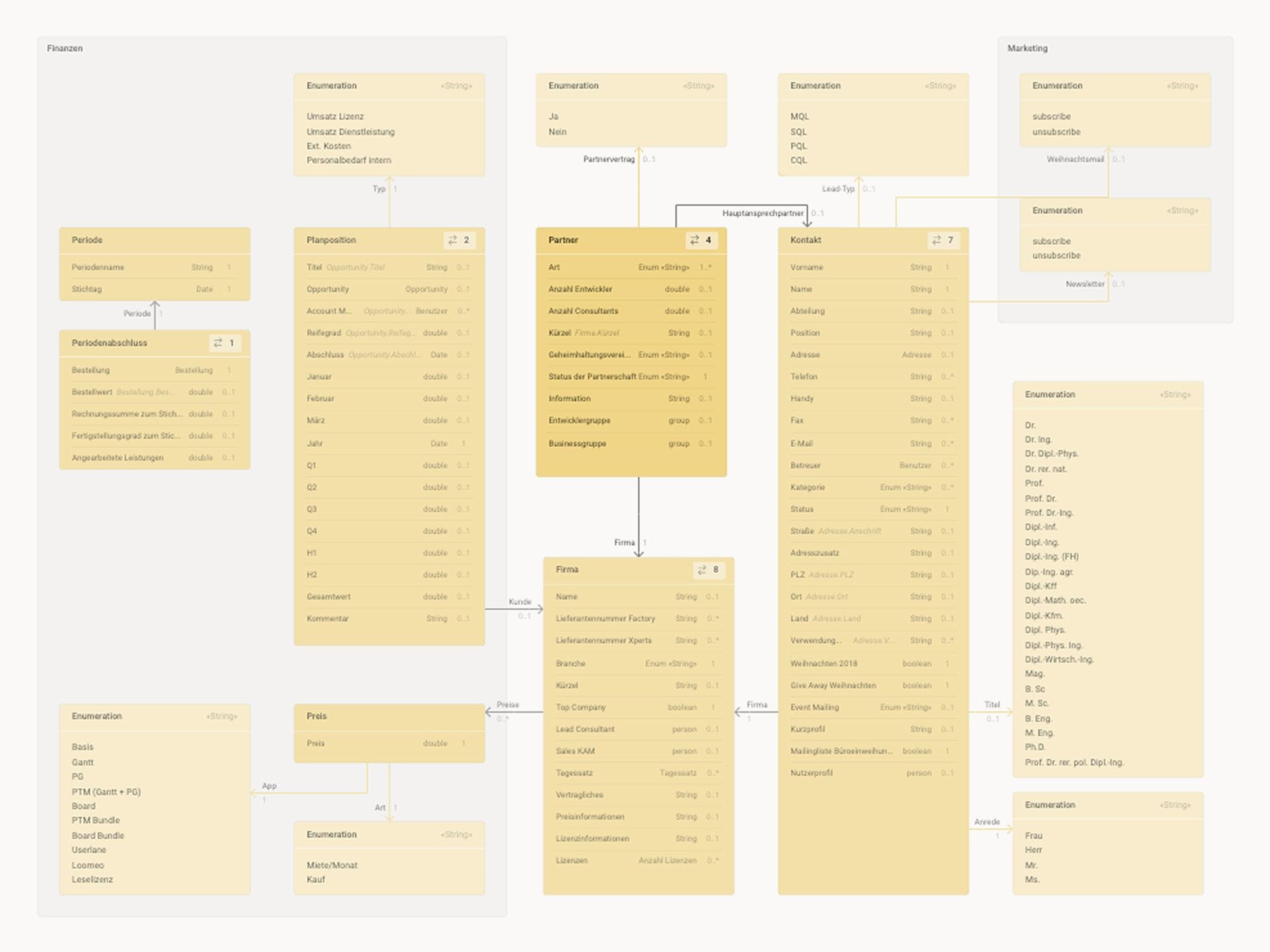
Users of the cplace platform now have the ability to generate their own, always up-to-date views of the data model that correspond to their specific questions. Deviations from traditional data model diagrams are incorporated into the design to align with the cplace context and the hybrid data model used there.
Thanks to the integrated interaction paths and the partially automated integration of types and attributes, users are able to reach their goals faster than with external tools. Our software solution quickly gained popularity among cplace users and is now integrated as a standard widget in the cplace platform.
How the Visual Domain Model Works
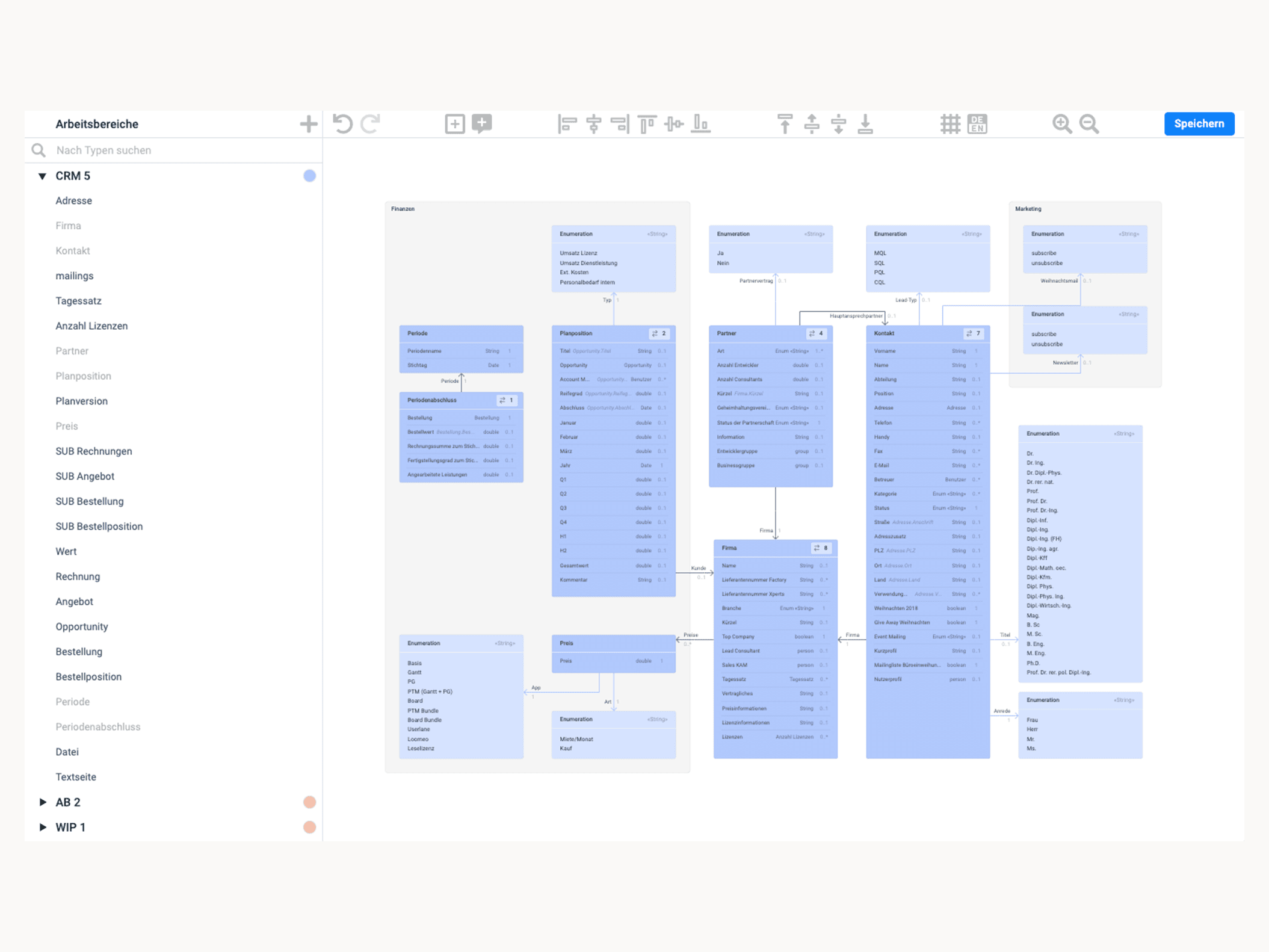
The Visual Domain Model is divided into two interconnected main areas: an area for selecting and displaying its workspaces and types, and the visualization area—which is initially empty—for displaying the data model. First, the user selects a workspace in cplace. All existing types associated with that workspace are then automatically listed.
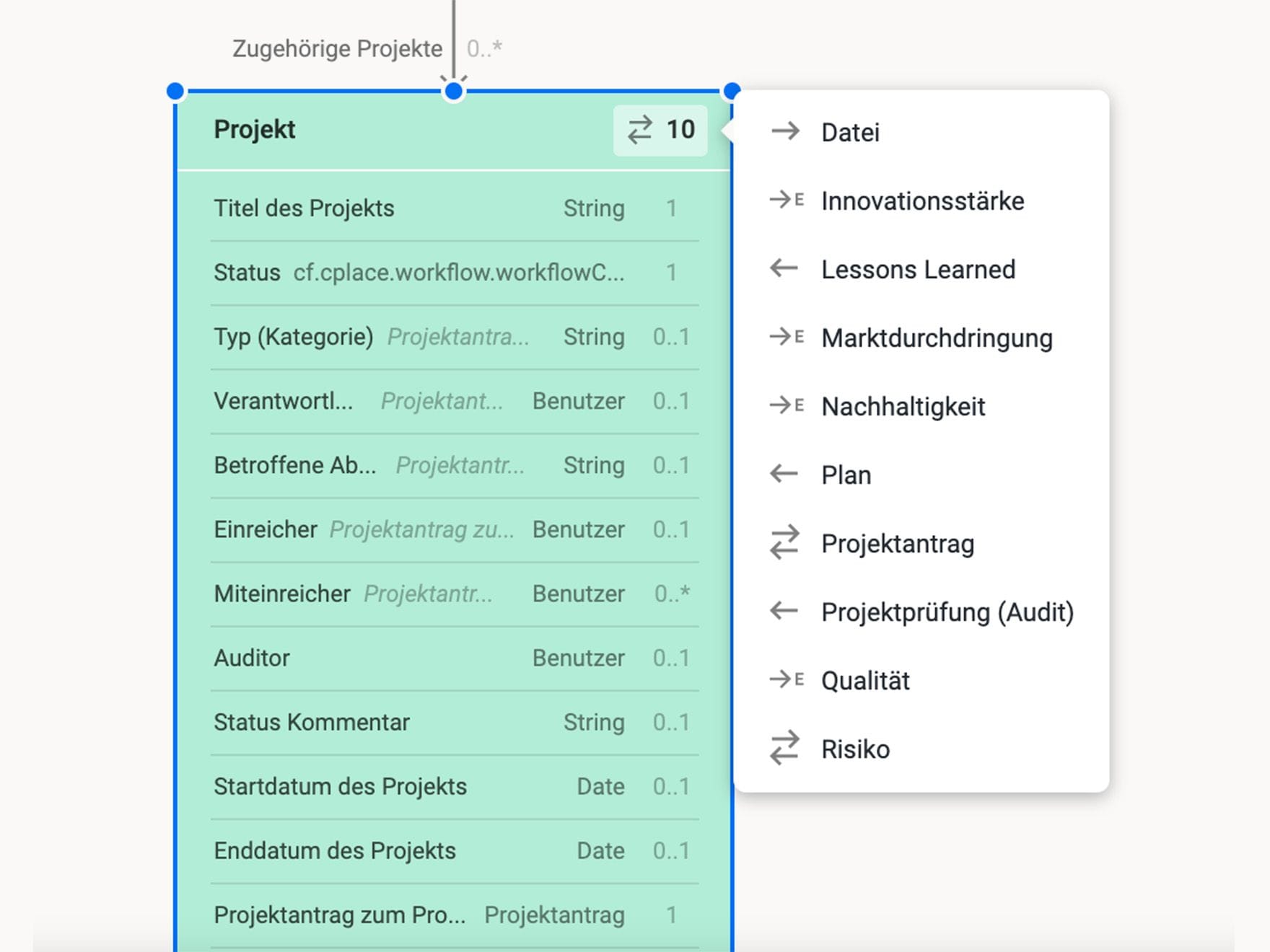
Any number of workspaces can be integrated. In the next step, the types to be displayed are dragged and dropped into the visualization area. There, all attributes and their properties are automatically displayed. Relationships to linked types are anchored as buttons, allowing users to view linked types directly and also drag and drop them into the visualization area.
The types can be freely positioned and supplemented with areas and notes. Colors for the workspaces can also be customized. Saving the view persists it in cplace, allowing it to be recalled at any time—if changes have been made to the data model in the meantime, these are automatically reflected in the Visual Domain Model. Additionally, the application offers functions via the toolbar that assist users in the visual organization of the models.
Targeted and Fast Results
To develop a product that is as efficient and user-friendly as possible, we had to overcome several challenges. Take mxGraph, for example: the library is capable of a lot, but it also comes with predefined styles and very specific behavior. Our developers faced the technical challenge of adapting the graphs to meet visual and interactive requirements.
We also had to take into account that not every user wants to map every part of a data model, but rather be able to define their own specific views without having to laboriously enter everything themselves. So we had to find the right balance between automation and customizability when creating the visualization.
With great attention to detail, interface elements such as the placement preview, grid structure, a button for selecting linked types, and much more were designed and integrated. These make it easy for users to compile even extensive views with just a few clicks and without losing track of the big picture.
How did the collaboration come about?
We first met back in 2016. At that time, we collaborated with collaboration Factory AG on a project for cplace customers. It was a great collaboration that we really enjoyed. We were all the more delighted that collaboration Factory AG chose us as partners for the new project, allowing us to deepen our collaboration. What convinced them was our special knack for visualizing data and our commitment to providing users with clear, intuitive interfaces that make it easy to explore the visualizations. We’re proud of the result we achieved together and are already looking forward to our next joint project.